Loads & workPilot
The whole job in one place
Broker, carrier, truck driver, truck, meetup, permits and a work history that matches the day. Review the load with Smart Load Closeout before you complete it.
PILOT CAR SOFTWARE FOR INDEPENDENT PILOT / ESCORT OPERATORS
Run the job and the business in one place. Loads, permits, routes, mileage, expenses and invoices stay together, from the first assignment to the payment record.
✓ 10-day free trial · Full Amberway access · No payment required to start
On the web, iPhone and Android
Dispatching pilots? Amberway for brokers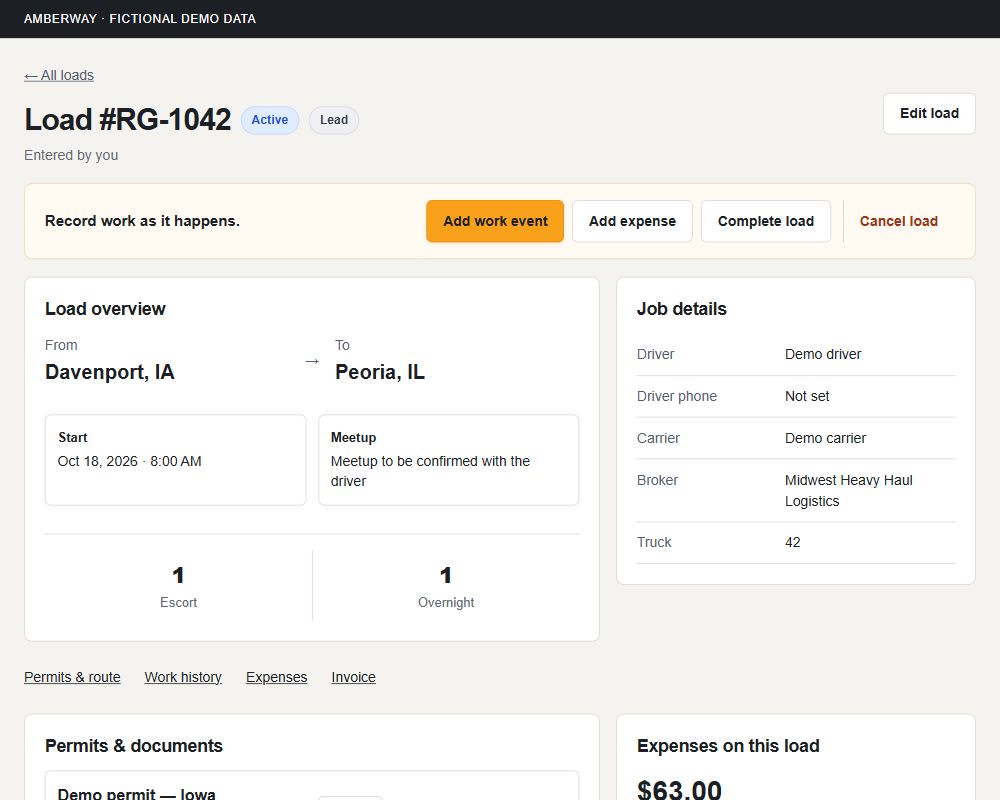
01 THE CONNECTED JOB
Create a load or accept one from your broker. Keep the permits, record the work, close the load out and invoice from what you recorded.
02 WHAT AMBERWAY DOES
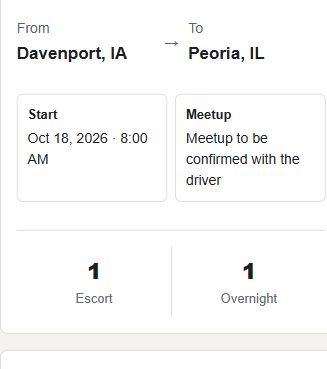
Broker, carrier, truck driver, truck, meetup, permits and a work history that matches the day. Review the load with Smart Load Closeout before you complete it.
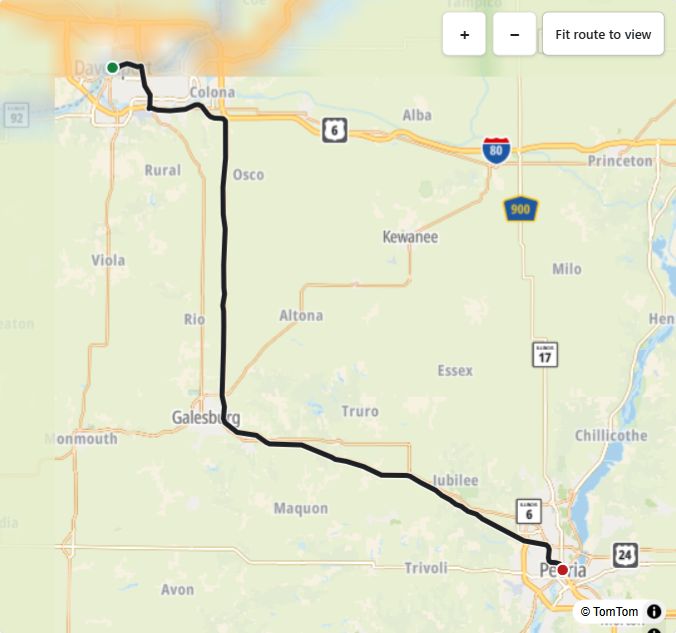
Place route points in permit order, compare every road with the permit, then follow the verified route in Drive Mode with voice guidance you choose.
See Skinny areas, low wires, low clearances and other hazards other pilots have reported, with warnings at 5 miles and 1 mile.
Daily miles, expenses and receipts, meal days, vehicle maintenance with reminders, and your own renewals with expiration dates.
Prepare an invoice from the load’s recorded work, or bill a customer with no load at all. Send a PDF and record payments.
Profit per load and for any period, plus a tax report of income, mileage, expenses and meal days.
Plus broker tools, State Rules for all 50 states, and more. See which plan includes each one.
See all features03 FINISH THE LOAD CLEANLY
When you tap Complete load, Smart Load Closeout shows what’s recorded on the job and points out anything that looks missing. Nothing is created for you, and nothing blocks you from completing.
Work events, miles and expenses linked to the load, reviewed in one place before completion.
Check off the equipment the State Rules list for each load. Each requirement shows its source. A completed load keeps the checklist it finished with.
Complete the load and open its invoice. Nothing is finalized or sent until you say so.
The checklist is a working aid, not a compliance guarantee. Confirm requirements with the state authority and your issued permit.
04 ROUTES & ROAD KNOWLEDGE
Place route points in permit order, calculate the route and compare every road with the permit before verifying.
Turn guidance, GPS status and off-route alerts. Choose Full voice, Alerts only or Off. On iPhone and Android, switch to a tilted road-ahead view and zoom in or out without losing follow.
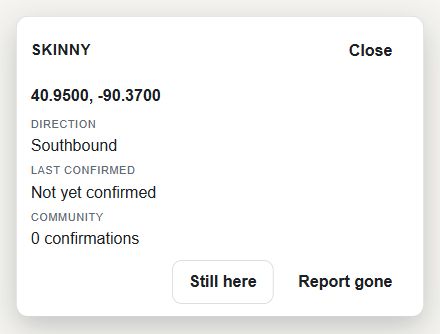
Report a Skinny area, low wire, low clearance, bad railroad crossing, construction pinch point or other oversize hazard. Others confirm it with Still here, or tap Report gone to take it out of alerts right away.
Seven days after a hazard is reported or last confirmed, Amberway asks the next pilot it applies to whether it’s still there. Yes keeps it active and updates a height or width hazard to that load’s size when it’s known. No takes it out of alerts right away. If nobody answers, the hazard stays as it is until the next pilot passes.
AMBERWAY REPORT DETAIL · DEMO DATA
The permit remains authoritative. Community reports are advisory and supplement official restrictions, your observations and professional judgment. They don’t guarantee clearance or a legal route.
05 THE BUSINESS SIDE OF THE LOAD
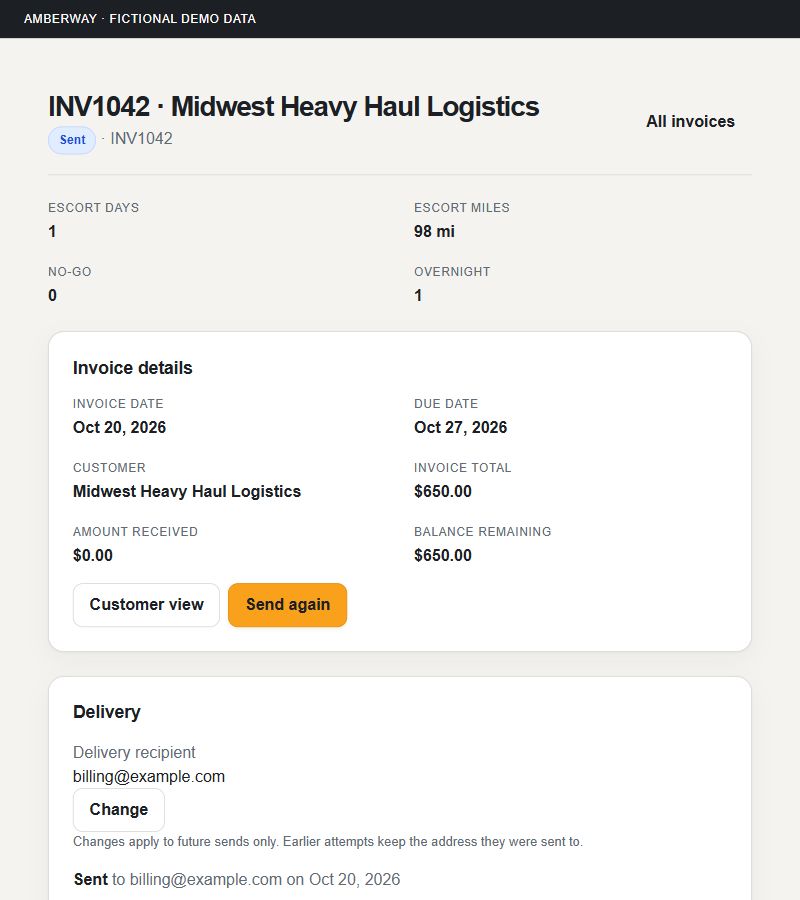
Invoice from a load’s recorded work and rates, or bill a customer directly and add the carrier, truck, route and miles yourself. Send a PDF and record payments.
See what each load earned after recorded costs and your estimated vehicle costs, and the margin for any period.
Keep service history with reminders when maintenance is due, and track the expiration dates of your own insurance, certifications and other paperwork.
Your daily miles, receipts and meal days, summarized for any period.
06 FOR BROKERS
Manage your private pilot roster, offer loads with their details and documents, and follow the assignment after the pilot accepts.
Choose the pilot, load, role and terms. Review before sending.
Private roster · Load offersThe pilot sees the offer in Amberway with the shared documents. Acceptance stays the pilot’s choice.
Pilot acceptance stays explicitCalendar, carrier and driver directory, the pilots’ shared locations, and the invoice when the work is done.
Assignment · Work · Invoice recordsAmberway for iPhone and Android sends brokers a notification when a pilot accepts an offer, counters an offer, completes a load or sends an invoice. Turn them on in the app.

Free Pilot accounts can accept broker work. Pilots control optional location sharing; it isn’t continuous fleet tracking.
See broker features07 STRAIGHTFORWARD PLANS
Every new account starts with a 10-day free trial with full Amberway access. One plan covers the web, iPhone and Android.
For pilots who take work from Amberway brokers.
For running your own pilot-car business.
For pilots who plan routes and navigate.
For managing pilots and dispatch.
Monthly prices in USD. After the trial, your account continues on the plan you choose, or on Free Pilot. Changing plans changes access, not your records. Compare every feature
BEFORE YOU START
Yes. Amberway is on the web, iPhone and Android. Sign in with the same account everywhere; your loads, records and plan are shared.
The All Features page lists every feature with the plan that includes it, and notes the few that run only on iPhone and Android.
Your account continues on the paid plan you choose, or on Free Pilot. Your records aren’t deleted when your access changes.
No. Free Pilot covers broker relationships, load offers, assigned work and shared documents.
You enter your actual daily miles. You can link miles to a load or work event; GPS and route distance never overwrite your record.
No. Keep the permit with the load, compare every road with it and verify the route before navigating. The permit remains authoritative.
Prepare an invoice from recorded work, or bill a customer directly, and send a PDF. Record the payments you receive. Sending an invoice doesn’t collect payment.
BUILT FOR THE WORK · ON THE WEB, IPHONE AND ANDROID
10 days. Full Amberway access. No payment required to start.